10 / CASE STUDY
LOCAL DEMO
Kreo.
From a rough draftto a video worth posting.
A content studio that helps creators improve TikTok draft videos: the AI reviews the video and returns timestamped edit notes, alternative hooks, and a voice-over script, then writes captions, hashtags, and ideas for the next video. Every suggestion stays honest — separating what is seen from what is claimed, with no promises of virality.
BUILT WITH
- Next.js
- React
- TypeScript
- Gemini AI
- Groq
- Vercel
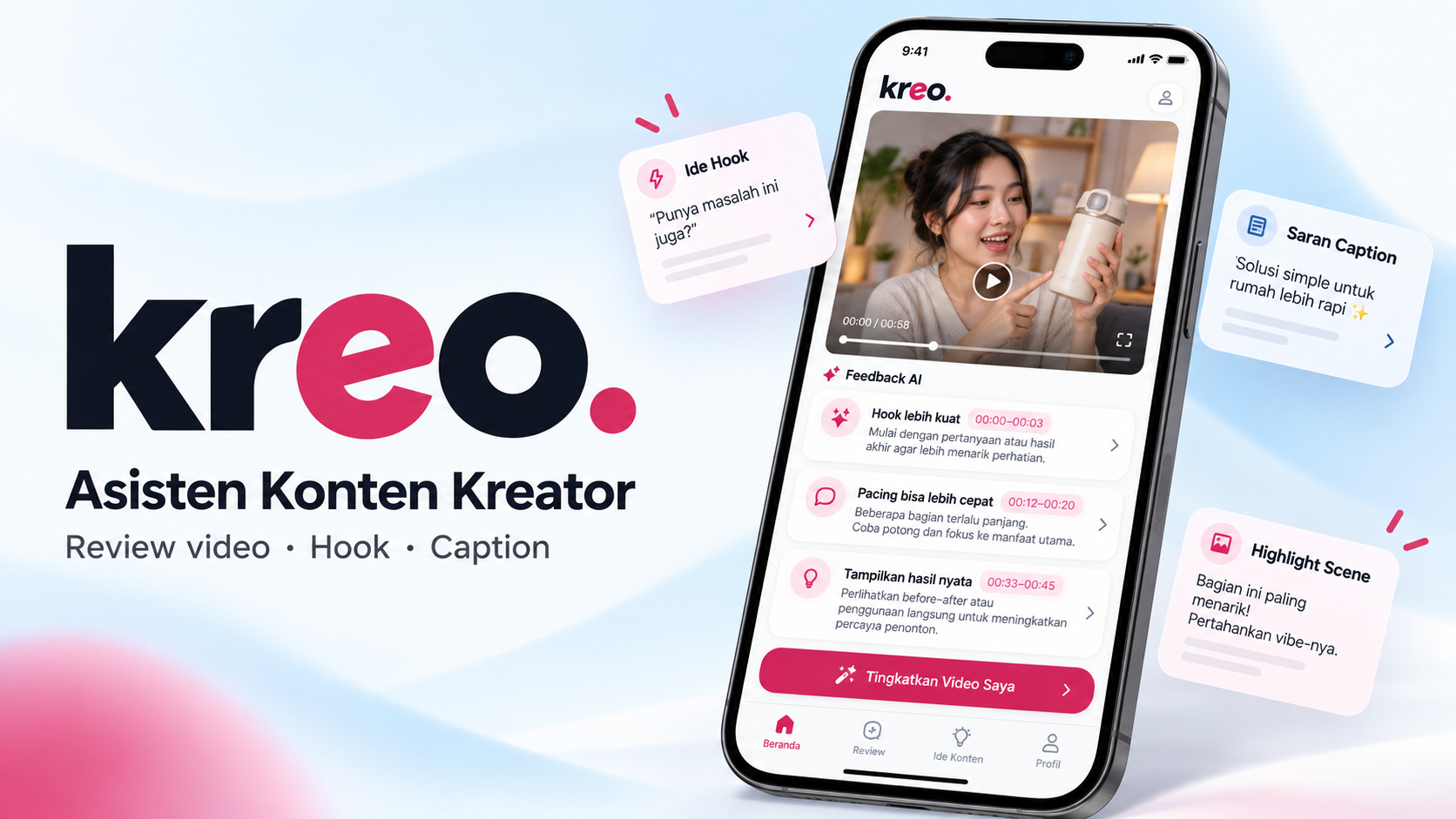
The AI watches the draft, then points to what should be cut, moved, or reshot.
01 / REVIEW
The AI watches the video,then points out what to fix.
A creator uploads a draft video with its context. Gemini analyzes the video and returns timestamped notes (cut, move, reshoot), three alternative hooks, a voice-over script, and an honest split between facts seen in the video, info the creator provided, and claims that need verification.
- 01UPLOAD DRAFT
- 02AI ANALYSIS
- 03NOTES + HOOKS
- 04FIX
- 05READY TO POST
READY
02 / DISTRIBUTION
Captions, hashtags,and what to post next.
From the video summary, the AI writes several captions in different styles and relevant hashtag groups. The Ideas screen offers video angles plus ready-to-shoot hooks from the creator's niche. Gemini handles the video, Groq handles text, with a fallback when either is rate-limited.
DECISIONS
Why it is builtthis way.
- 01Timestamped notes
Every suggestion points to a specific second in the video, so the creator knows exactly what to change.
- 02Facts kept apart from claims
The analysis separates what is visible in the video, what the creator said, and claims that need checking. No promises of going viral.
- 03Two models backing each other up
Gemini handles video and Groq handles text. When either hits a rate limit, the request moves to the other.
SCREENSHOTS
Taken straight from the application while running.


NEXT PROJECT
Hadirin01 ↗